RMIT University GUI Design System
Building a design system that aligned hundreds of pages, dozens of teams and a legacy CMS.
-
40 Reusable UI patterns
Standardised navigation, content, form, listing and promotional components documented across the design system.
-
4 Digital ecosystems
Unified guidance created for Main, Connected, Related and Associated digital properties.
-
10 Content & landing page types
Standardised templates for homepages, landing pages, news, events, blogs, programs and search experiences.
-
5 Digital channels
Design patterns extended across websites, mobile sites, mobile apps, email newsletters and social media.
Problem Discovery
RMIT’s website supported a wide range of audiences and services, including course discovery, student acquisition, support services and international audiences. Over time, the experience had become fragmented. Different parts of the university had developed different approaches to content, navigation and page design.
The result was an inconsistent experience for users and an increasingly difficult platform for teams to maintain. The university needed a more coherent digital experience while continuing to operate within the constraints of an ageing CMS. The challenge was as much organisational as technical - a successful redesign would require alignment across multiple departments, content teams and stakeholders with different objectives.
My role
I joined the project as Senior UX Designer and was responsible for extending and operationalising the new design system. Building on the initial work completed by Symplicit, U1 and Reactive, I adapted the emerging design language to real-world content needs, technical constraints and governance requirements. My work included design-system development, navigation design, content templates, accessibility validation, stakeholder engagement and implementation guidance alongside engineering teams.
Key Decisions
Design for the CMS that existed, not the CMS we wished we had
A complete redesign without technical constraints would have been easier to design but difficult to implement. Instead, I adapted the visual language and interaction patterns provided by Reactive so they could operate within the capabilities of the existing CMS while still improving usability and consistency. The university got value from improvements immediately without waiting for the large technology replacement program. In retrospect, this proved to be a fortunate decision. By decoupling the experience redesign from the underlying platform, we launched the new customer experience two years before the CMS replacement was completed.
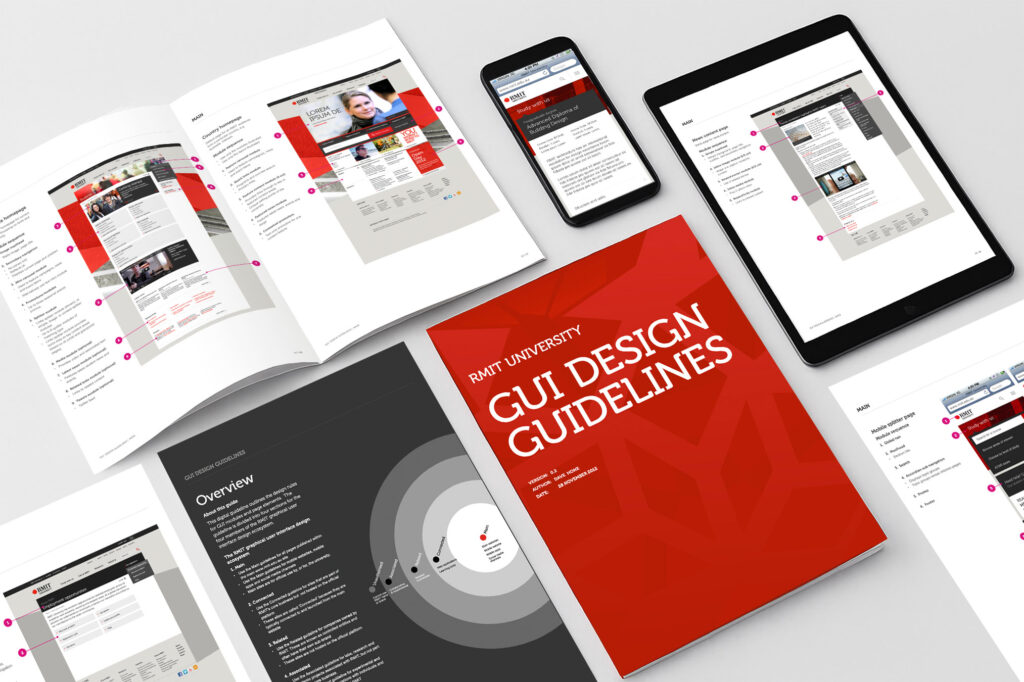
Extend the system instead of designing individual pages
Many emerging requirements could have been solved through one-off page designs. That approach would have recreated the fragmentation we were trying to eliminate. I focused on expanding the design system through reusable templates, components and layout patterns that could support a wide variety of university content. New requirements strengthened the system rather than increasing design debt.
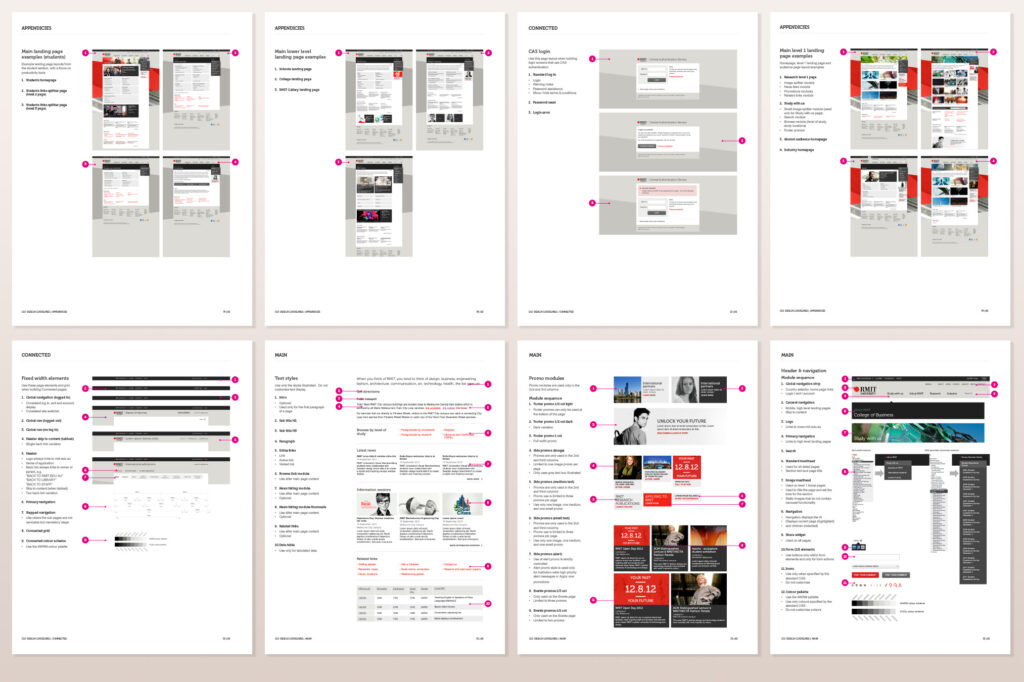
Align stakeholders through a shared visual language
Different faculties, schools and business units often had unique content needs and competing priorities. I worked across organisational silos to create shared UI patterns, page structures and brand treatments that gave teams flexibility while maintaining consistency. The project created a more unified experience without requiring complete standardisation of content.
Validate accessibility with real users
Accessibility decisions were informed by direct engagement with students using assistive technologies, international students using English as a second language and users performing complex information-seeking tasks. The findings informed refinements to navigation, content hierarchy, page structure and interface design. Accessibility became part of the design process rather than a compliance review at the end.
Insights & Outcomes
What I designed
- 80 high-fidelity interface components and design-system modules
- Dozens of content templates designed for real publishing needs
- New navigation structures and information-architecture patterns
- Sub-brand applications for faculties, campaign sites and international audiences
- A component and layout guideline library for governance and consistency
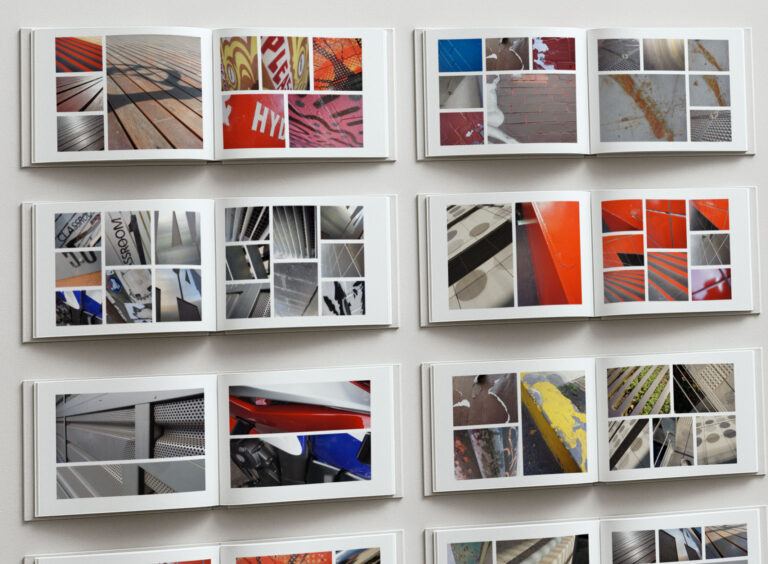
- A custom photography library used across brand and content experiences
What changed
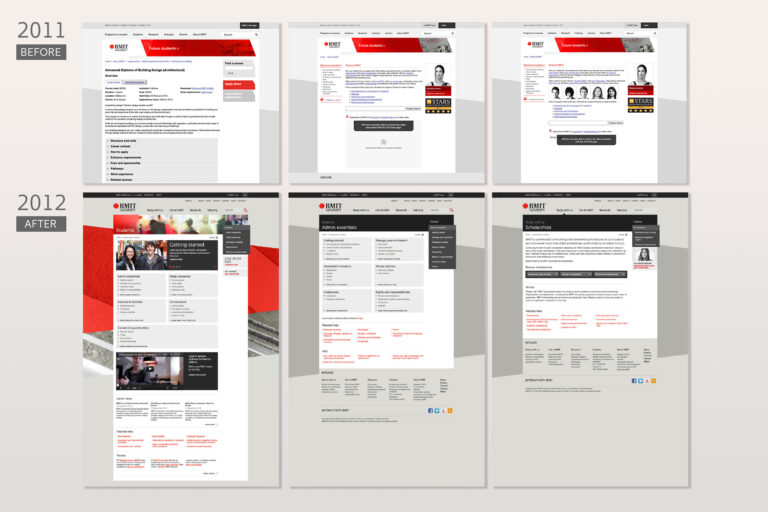
- Created a consistent visual and interaction language across the RMIT web ecosystem
- Enabled collaboration across university content teams during migration
- Supported redevelopment of hundreds of pages using shared patterns
- Improved accessibility through direct user testing and iterative refinement
- Worked with engineering teams to modernise legacy CMS outputs using CSS and JavaScript
- Successfully contributed to the 2013 RMIT website relaunch
Reflection
The most important lesson from this work was that design systems are primarily organisational tools, not design artefacts. The challenge was never creating components - it was helping large groups of people make consistent decisions over time.
Looking back, the success of the project came from balancing governance and flexibility. The system gave teams enough structure to create consistency while still allowing different parts of the university to meet their individual needs.